Interview with Julie Neilson: Marketing videos
28 May 2021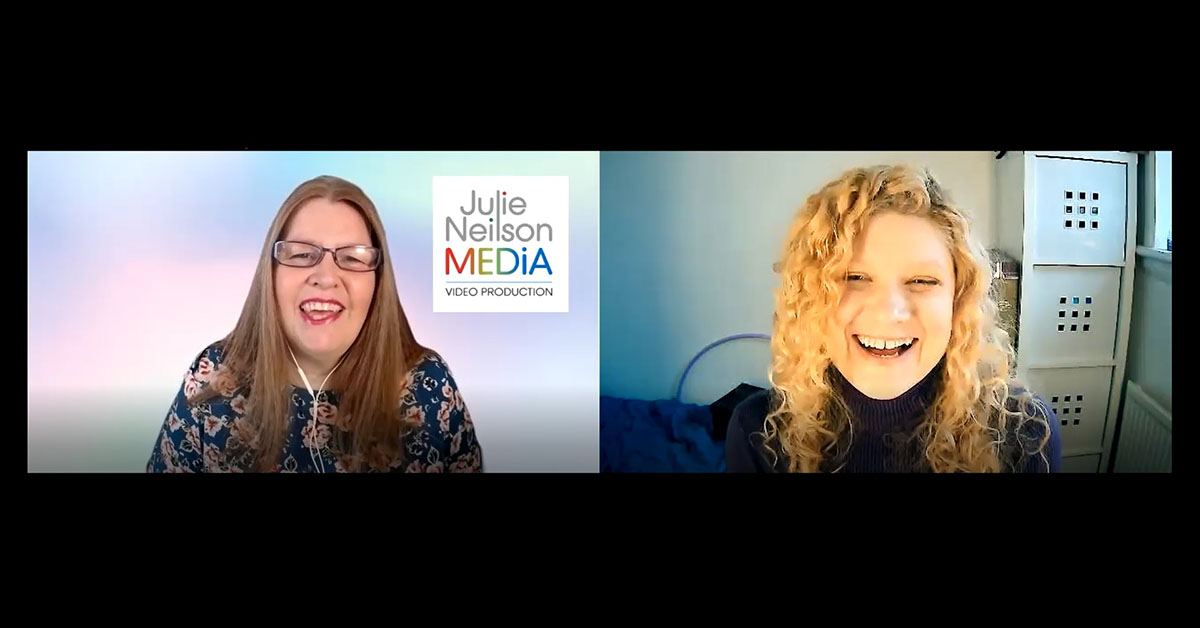
In the fifth of my expert interview series, I spoke to Julie Neilson of Julie Neilson media about marketing videos. We spoke about how important it is to include video in your communications mix, why small business owners should think about making their own videos, how to make your own video and much more.
There isn’t much Julie doesn’t know about video. She has been working in the field for over 20 years, from working in filming for the BBC to helping small businesses make their own videos. Watch the video to find out more or read the transcript below.
Julie’s links:
Email
Website
LinkedIn
FREE Facebook Group: Be Seen Be Heard Be Known!
FREE ViDEO Production Checklist & Kit List
Transcript:
Samantha Tonge: Hi, it's Samantha Tonge, Labrakita Marketing again, here with another one of my videos with experts in marketing or related to marketing with a specific field. Check out all my other videos. I'm releasing one per month. And today I'm here with Julie Neilson, who is an expert in videos, so she might be critiquing me, as I go along.
Julie Neilson: I definitely wouldn't do that, Samantha.
Samantha: So Julie, can you introduce yourself, please?
Julie: Hi. I'm Julie, from Julie Neilson Media and I help people who want to use video in their business. Whether it's to increase brand awareness, to reach more customers and clients, or to communicate better with their current customers and clients; there's a whole load of different ways you can use video. And it's something that I love helping people to use and to do.
Samantha: Brilliant. So how did you get into video production?
Julie: Well, I actually joined BBC Television in London as a graduate secretary back in 1987. When I say it out loud, it sounds a lot longer ago than it feels. I knew I wanted to work in media, but I didn't know exactly what. So I was advised to do a secretarial course, after finishing uni. That's what women were told to do at that time. So I joined the BBC, and very quickly realised that I wanted to direct.
I basically worked my way up the ranks, but it was great, because I worked with a lot of very talented, creative people, who were top of their field. The BBC was, at that time, renowned worldwide for being experts in their field. So I got to work with some incredible people and learned a huge amount. I've worked with professional presenters, with celebrities, with members of the public, and even with animals and children. They say don't do that, but I did both and I survived. So that was good.
I learned a lot about video making and I also learned an awful lot about the marketing side of it. We had to know about our target audience, we had to know about branding, and all those sorts of things. So it's taught me a lot.
Also as I was working my way up, I worked in various roles. I was a production assistant and assistant producer, etc. And I'd go out on shoots, and I'd help the camera crew lug all the gear about and everything.
And then the BBC decided to bring in, what they called multi-skilling. So depending on what programme I was working on, it might be a case of: “Here's your camera kit. Here's your lighting kit. Off you go. Do it all yourself.” And then other programmes I'd work on were filming with two camera crews to direct and, you know, the full work. So it just depended on the programme. But it was great and I learned a lot, which stands me in good stead now, obviously, for passing that on.
And when I left the BBC to move back up to Scotland, I carried on doing some work for BBC Scotland, but I also started teaching video production at college here in Edinburgh. So it was great when I set up the business, because I had the video making skills, but also the teaching skills. So that all comes together quite nicely now.
Samantha: Yeah, so I guess all that experience, but not just the experience working for the BBC, but all that teaching experience helps you now teaching businesses to create their own videos.
Julie: Absolutely.
Samantha: And making videos for them, I guess, as well.
Julie: Yeah. I mean, initially I set up to make videos for small businesses. Then I very quickly realised that as technology was moving on, there was no reason why people couldn't do it themselves. And I love teaching. And one of the programmes I loved working on in the BBC was Video Diaries. I don't know if you'll remember that, it might be before your time, but Video Diaries and Video Nation were the introduction of people doing selfies. These programmes included members of the public telling their story. And as a director, I would work with them, to show them how to do it. And then basically I would gather in all the footage. I would give them some direction, but they would film most of it, and I would then edit it all together and produce it. So I'm used to working with members of the public with video making, who have no previous experience whatsoever, which obviously helps too.
Samantha: Yeah. And I imagine things have changed a lot during that time, as it's a lot easier now to create your own content, than it was in the past.
Julie: Oh, absolutely. I mean, mobile phones weren't even a thing, initially, when I was at the BBC. I remember going on one shoot as a production assistant. We were out on location. I was with the director and the producer, and I think we were going ahead to do a recce. I had the one production office mobile phone. And we went into a place, I think it was like a country pub for a pub lunch. And the producer had his own mobile phone. I mean, not many people had mobile phones then. We heard a phone ringing, and it was like one of these horror movies, because the whole place just went silent, and everybody turned and looked at us. And I said: “No, it's your phone.” And he was like: “No, it's not. It's yours.” And I had to get it out. So that's how far back we're talking. People weren't even using mobile phones, they didn't have cameras or anything then. To see someone with a mobile phone at that time was, in itself a bit different. So yeah, things have really moved on: the size of cameras, how easy it is to edit now and add effects. I mean, you know, it's just amazing. I love it.
Samantha: Brilliant. Brilliant. So, can you talk about some of the mistakes that people make when they're creating videos?
Julie: The biggest one I see, is people not looking in the right place. And it makes me cringe every time, because I still see so many people doing it. They'll be talking away, as if they're having a conversation with their viewer. But they're actually looking at the screen and not at the camera. And it's fine, if we're having a chat like this. It's fine, if you're looking at the screen while you're listening. But if you're talking to people, you want to make that eye contact, because that is vital.
That's one of the key things with video. If you're presenting something, you want to make that eye contact, because that's one of the things that raises it above using written text or other means. If you can make eye contact with your audience, it helps create that bond. People can get to know, like, and trust you, which you know is the principle that everything in marketing comes back to. People want to know that they can trust you.
When I see people not looking at the screen, it really makes me cringe. And I can understand it, if perhaps they've got notes off to the side or if they've got notes on another screen, but even in that scenario, you can look away to read your notes, but then come back to the lens to talk to people. And one thing I share with people, if they just don't know where to look, which I totally get. So if you don't know where you should be looking, one tip, and you can do this with me, Samantha. I have to look away from the screen to illustrate, why you shouldn't look away from the screen. But if I look away, and if you look at your screen, and get your finger, put it to about a third of the way down from the top, because if you're looking at your screen, you'll see. So you want to be in the middle, but about a third of the way down. Okay, and then look to see where you're pointing. Yep. And that's where your camera lens is, and that's where you should be looking.
Samantha: Right. Okay.
Julie: And as I said, with something like this, if you're on a Zoom call or your network or something, it's quite permissible not to be looking at your camera lens, while you're listening. But if you're the one talking, you should be looking at the camera lens.
Samantha: And it's really easy to forget, as you're in the middle of a conversation. I constantly try to remind myself, but I guess, that comes with practice.
Julie: It does. And also, I know some people, who put a wee sticky around the camera lens with arrows saying: "Look here". I have seen people do that. But I genuinely find, once you have sort of identified exactly where you should be looking, it's just then a case of practice to remember to do it, so that it becomes automatic, really. So that would be the biggest mistake I think people make.
The other one is that a lot of people don't even start doing video, because they think it has to be all about doing lives. The number of people that I've spoken with who said: “Oh, you know, I don't do video, I can't stand the thought of doing a live” is quite astounding. And in my opinion, you don't have to do a live. There are actually quite a lot of good reasons for doing something pre-recorded rather than doing it live. Live is great in certain instances, especially if you want to get that interaction, while you're on air, as it were. And you can let people know in advance that you're going to be live so that they can join you and ask questions and all of that. That is great. But other than that, there's not really a good reason for going live, unless you just want to do something that's instant. And some people prefer the live.
But if you're someone, who is worried about doing a live, go for a pre-recorded video. And then you also get the bonus that you can pre-record it. I wouldn't suggest you do it 10 million times, as it doesn't have to be perfect. But pre-record your video, because then you've got the option as well of adding on your logo, of adding on captions, and subtitles, you know. There are all these ways you can add extra information. So it doesn't have to be a live. And I would say to anyone watching this, don't be put off because you think you have to go live, because you really, really don't. And I would suggest if someone's nervous about that, don't start off with a live. For some people it works. They just jump in at the deep end and get on with it. But I would say, if you are particularly nervous, don't start with a live, start with a pre-record.
And the other thing I hate is when I see people on a platform, say like LinkedIn or Facebook or whatever, and they're doing a piece to camera, saying: "Oh, hi, my name is x. And I'm doing this because I'm doing a challenge. And I was told I should do a live video in this platform, etc." And it's like: “No, don't do that”. I mean, it's great that they've taken that step, but have a good reason; not for you, for your customers and clients; what do they want to hear. They don't really want to hear you say: “Oh I'm doing a challenge. So here I am.” You need to have a good reason for doing a video.
Furthermore, keep your video simple, keep it straightforward. And also try and have a call to action with every video, even if it's just to increase your brand awareness. Then you can say to people: “Oh, if you want to find out more, check out my website”, or something like that. But have a call to action in each video. Have a good reason for doing the video and keep your message simple and straightforward. Those are the main things that I see that crop up a lot, and that can be easily fixed, basically.
Samantha: Yeah. I guess one of the biggest steps is just doing video at all. Talking about the second point, I hadn't even considered live, but it did take me a long time after deciding I was going to do a video, and what I was going to do, to actually get it done, because I've been far too perfectionist. So I've had to slap myself on the wrist, like: “Yo, just do it. Yep, perfect. And get it out of there.”
Julie: Absolutely. A lot of people get put off, because they think it has to be perfect. But there's that saying about "Done is better than perfect". And it's true. And the more you do, the easier it becomes and the better you get as well.
Samantha: Yeah, yeah. Brilliant. Thank you. And on the other side, are there certain best practices that people should think about? Obviously, there's the opposite: They're looking at the camera, and so on. Are there things that we need to think about, if we're going to decide to take that step and start to do a video.
Julie: Sorry, what was this?
Samantha: So for those of us who are just starting out and thinking about doing video, are there certain best practice steps that we should start to think about, before we make that leap?
Julie: Yeah, I mean, think about why you want to do a video, what is the purpose. Don't do video, just for the sake of doing video. Make sure you've got a clear reason. And try to keep it to one message per video, because I think a lot of people think: “Oh, I'll do a video” and then they try and cram everything they want to say into that one video. And then the message just gets messy. So keep it to one clear message per video.
Also make sure that your equipment is up to scratch. I mean, to be honest, I use my phone for a lot of videos. Now, if I'm doing something that I want to look a bit more glossy, you know, for example for my website or whatever, I’ll get my big camera kit. But for social media posts, I use my phone. Then you need to know how to frame your shot. You need to know how to make it look good with enough light. Don't be standing there with a window right behind you, because you'll just end up a silhouette. So think about your lighting, your framing. Is your sound good enough? Make sure you don't have a lot of background noise going on, things like that. So those are kind of the basic things that I think people need to look at.
Samantha: Do people need to start with getting equipment specifically for video? Or do you think for the majority of cases, use what you've got?
Julie: I would say, use what you've got, especially to start with. Use what you've got, and then as you go along, the more you do, you'll start to think about other things that you might want to add in, like a light or an external microphone perhaps. Although, a tripod would definitely be one of my first suggestions: a tripod or a stand, at some point. And there are so many out there that you can get that take mobile phones as well.
I'm actually giving away my video production checklist and kit list for free at the moment. In the kit list, I've listed everything that I use, apart from my camera, because I wouldn't expect anyone to go out and buy that. But I list all the equipment. And it's easy to see things from that list, that you think: “Oh, well, I don't need that now, but I might need that further down the line”. Or you might look at something and go: “No, I definitely don't need a green screen”, for example. So, I'm offering that for free just to help people, because I think kit is something that puts a lot of people off. They often think: “Oh, I haven't got all the equipment, I don't know what I need, it's going to be too expensive”. But, if you've got a phone with a decent camera, that is all you need. You can go ahead and do it. Also, sunlight is a marvellous source of free light. Once you started doing more, you probably want to buy a video light of some sort, because although sunlight is excellent, and free, it does vary a lot. Especially if you've got clouds passing, you know, you're in the shade, then in the light, then you're in the shade again.
But to start off with, just go for a mobile phone. And on my kit lists that I've mentioned, there is a selfie stick that I use. I refused to buy a selfie stick for years and years and years on a matter of principle. I just thought: “No, I cannot buy a selfie-stick”, and then I actually saw one that caught my eye. It's a selfie stick, but it can also be used as a desk stand tripod. This model has also got a wee light on the top of it, which isn't powerful, but it can be just enough to give you that wee boost. So I purchased that and I've been very happy with it. The details of that selfie stick are on my kit list. I would say, if you were going to buy anything that would be the first thing. But if you've got a decent camera on your phone, that is enough to be going on with, I would say, and to get anyone started.
Samantha: Okay, brilliant. I will get those links on my website where I'm hosting this and on YouTube. And you'll see them on social media as well. That sounds really useful. We were talking about and thinking about why you do video, and why you want to do video. And there are certain reasons, that you come across quite a lot, why people should start to think about using video as a format as opposed to a blog or whatever else it is they have been doing. What are the reasons that they may think about doing a video rather than the other formats?
Julie: There are loads and loads and loads of statistics out there that illustrate why you should be doing video. Unfortunately, I don't store them in my head. But I often have figures to hand when I teach, as I also have a free Facebook group, where I do a live teaching every week. But I'm not a figures person, so I can't give you that. But there's enough evidence to show that you should be using video, because most people are consuming video on social media platforms. And also if you use video, the figures I can't remember now, and don't quote me on this, because I'm just rounding it up roughly, but when people watch a video, they retain something like 85% of the video's message. Whereas, if they read some text, it's something like 15%. Those aren't the figures, but it's that kind of difference.
Samantha: Wow, yeah.
Julie: Well, that just shows you how much impact a video can have and people like watching videos. It's also been shown in studies that if you have, say a page and a website, and you offer people a video to watch or a text to read, the majority of them will watch the video rather than read through the text. So it's appealing to more people. More people are using video, more people remember your message through video. So it's definitely, definitely the way to go. I mean, I love reading and writing as well, don't get me wrong. But for social media, you can use video to just increase your brand awareness by printing out snippets of information or things about your company, if you want, and that is just one example. You can use video in so many different ways. So use it to increase brand awareness and through that you will reach more customers and clients. You can also communicate better, if you've got a Facebook group. If you do videos, either live or pre-recorded ones, if you can put videos out there, that will help you get your message across. I mean, you don't even need to be in your video, you can do a video just with captions and music for example. And that will still get your message across, which is kind of at odds with saying people don't want to read. But if it's in a video, that's different to reading a long list of text. So, you can even start off, by not even being in your videos at all.
And there's so many ways that you can do it. If you put a video on your website, for example, it's been shown that people are likely to stay twice as long on a website that has a video as they will on a website that doesn't have a video. You can have welcome videos on your Facebook page, your Facebook group, your website, your YouTube channel, you know, you name it, you can have a welcome video anywhere. You can also have a Frequently Asked Questions page on your website, where you do videos, especially if you get asked the same question over and over again. Do a wee video about it, put it on your website, and then the next time you get asked about that, you can say to people: "Oh, if you go to my website, I've got a video on that." And that gets them to your website. Because at the end of the day, that's where most businesses want people to end up: on their website, to look at what they've got. So there's all sorts of ways you can use video and even using video for one-to-one calls with your clients for networking. You know, there's all sorts of ways. As I said, to use video, the list is kind of endless, really. I could go on and on and on. But I won't. However, you can tell I like video, just a little bit.
Samantha: I think it's important to have different forms of communication out there as well. Because if people consume the same message multiple times in different ways, they're probably even more likely to remember.
Julie: Yeah.
Samantha: So that's interesting as well.
Julie: Yeah, I mean, I would never say only use video and nothing else. But obviously, my passion is video, so I will say to everyone: Use video. And I know that anyone and everyone can be a video star, because I've worked with so many people on Video Diaries and other programmes like that. Various members of the public, even children, were able to, with a bit of direction, present on camera. So I know that anyone can do it. I haven't met anyone, yet, who couldn't do it. Sometimes you just need a wee bit direction, a wee bit help with certain things, but at the end of the day, if you care about your business, why would you not want to tell people about it?
Samantha: Yeah, absolutely. Absolutely. And have you got any tips on how to put subtitles together? Because sometimes, especially if your target audience is sitting in an office, they might not be allowed to have their headphones on.
Julie: Yeah, I mean, I tend to do mine manually, because I think it looks nicer. But you can use apps, like Rev.com, that will do subtitles for you. There are quite a few and they're not terribly expensive. Or you can put your video onto YouTube, where you can add subtitles automatically that won't cost you anything, and you can go in and edit them. So yes, and not just when people are in an office, but when... Well, I was going to say, when they're commuting, and I don't know how many people are commuting at the moment, as this goes out, because of lockdown, but that will change again. So at some point, when people are sitting on a bus or a train, or whatever, they've not got the volume up, they got their earphones in. If you can have captions on, people are more likely to stop and read those captions. Whereas, if you don't have subtitles, they're likely just to scroll past. So yeah, there are definitely quite a few companies and apps out there that do it. And it doesn't have to cost the earth. So I would definitely spend the time adding subtitles, if you can.
Samantha: Yeah. Even if it's literally using YouTube to do it for you.
Julie: Yeah, absolutely. I mean, even if it's not perfect, it's still going to be better than not having any.
Samantha: Yeah, absolutely. One thing though is that it can be a bit time consuming, especially when you're editing, and it hasn't quite got it right.
Julie: Yeah.
Samantha: But I think it's also really important to edit it, because it can get it horribly wrong sometimes.
Julie: Yes, definitely. I mean, I've seen some real ones that you just look at and it's like: “What?” Many are like: “How? How did that...? How was that allowed to be put out?”, you know. So definitely check it. Don't need to fix little things that can be glossed over. But look out for major things, especially names. A lot of automatic subtitling will get names wrong. And that is one thing you do not want to do. Especially if you're interviewing someone or talking about someone, make sure you get their name correct, and that you spell it correctly as well. Otherwise, you might have some very unhappy contributors.
Samantha: Yeah, yeah. And it does come up with some interesting ones, when it comes to a name. It's interesting, what are some of the things that it misinterprets.
Julie: Yeah. Yeah. I mean, especially if someone's got a quite strong regional accent. In a lot of subtitling, I've really struggled to pick up what they're saying. As I said, I do mine manually, but it is very time consuming. Just because I like mine to look a certain way, but it does take a long time. So I'd go down the automatic route, if you can.
Samantha: Yeah, I actually use something called Otter.ai, which I find better than YouTube. It's definitely getting things right. However, I won't say who, but one of these interviews I've done, the subtitling is taking me forever, because he has a very thick, regional accent. And the software is really struggling. It's getting it so wrong. So that's funny. And some of the interpretations, the artificial intelligence makes… It's been hilarious, frankly.
Julie: Yes. Sometimes in that situation, you are just as quick doing it yourself. Because it takes quite a long time for you to read it and change it, and what have you, but then you see, I'm used to doing it. And in the olden days, we had to do it manually. We didn't have any options. So I can be quite quick doing it. But even me being quick, it still takes a long time.
Samantha: Yeah, especially if we're talking like 30 to 40 minutes interviews.
Julie: Yes.
Samantha: Yeah, so I think I've covered most of my questions that I had. I was going to ask you, if you have anything to plug, but you've already mentioned some. Is there anything else, other than what you've mentioned already?
Julie: Well, I've got the video production checklist, and kit list, which we’ve talked about, especially the kit list side a bit. But I also decided to share the production checklist, mainly because a lot of people get put off doing videos, simply because they don't know what's involved, or they don't know where to start. So I thought, right, this will help and it's the one that I use. It is important to note, that not all of it will apply to everyone or to every video, but it gives a good outline of what's involved. So that all comes together. And that's all free.
I also have a free Facebook group called "Be Seen Be Heard Be Known!" and I do a live teaching there every Tuesday. There I also offer the opportunity to come on and do a Friday feature once a month, where someone in the group can come in and either do a live video, a pre-recorded video, or even upload a document just to share about who they are and what they do. So far, I think everyone's done it live apart from one person, who's very used to doing lives but she was very busy at that time. So she's pre-recorded it. So that's a good opportunity, if you want to have a wee practice.
Also on my website, I've got different coaching packages for different budgets to help people, because often people will be quite competent in one area but perhaps not in another area of video making. So I've tried to have a good spread. And likewise, as I said with budgets, I know that not everyone can go for the big package, so I've tried to put wee packages together for people as well. So that's all on my website, and I'll give you the link for that, Samantha, so you can add that in. So yes, you know, come and find me, if you need help with video, because I love helping people. It's what I do. And I know that everyone can be an awesome video star. And that's what I aim to help with.
Samantha: Brilliant. Thank you so much, Julie. That is really useful information in there. And as I said, I'm putting the links below. Check them out. And thank you very much everyone for watching. And don’t forget to check out my other interviews with other experts in specific fields, marketing. Thank you.
If you need any help with your marketing events, contact me on 07791 521439 or samantha@labrakita.co.uk or contact Julie on 07973 955323 or hello@julieneilsonmedia.co.uk